Identity & Contacts
Your cryptographic identity, contact book, and trust verification.
What is an Identity?
An identity in Krillnotes is a cryptographic keypair (Ed25519) that represents you. It’s used to:
- Sign every operation you make, so peers can verify authorship
- Encrypt sync data end-to-end between devices and peers
- Bind workspaces to an owner
Identities are stored locally, protected by a passphrase (derived with Argon2id). They never leave your device unless you explicitly export them.
Identity Manager
Open File → Manage Identities to see all your identities.
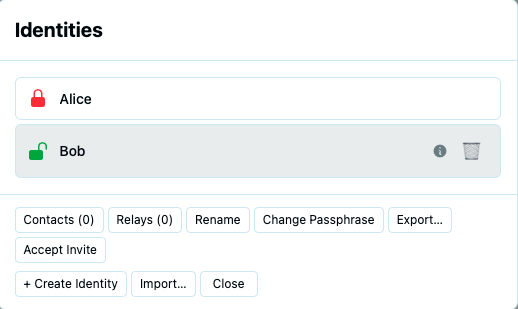
Creating an Identity
Click + Create Identity to generate a new keypair.
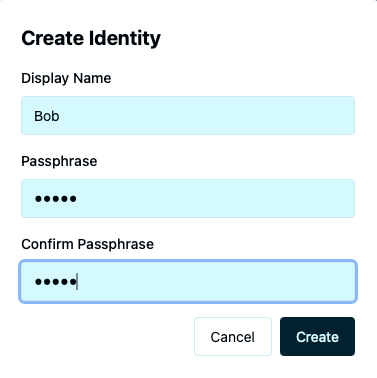
Enter a display name (this is declarative — peers see it but it has no security meaning) and a passphrase to protect the identity. The passphrase is used to encrypt the private key on disk.
Unlocking and Locking
Identities must be unlocked before they can be used. When you open a workspace bound to a locked identity, you’ll be prompted for the passphrase.
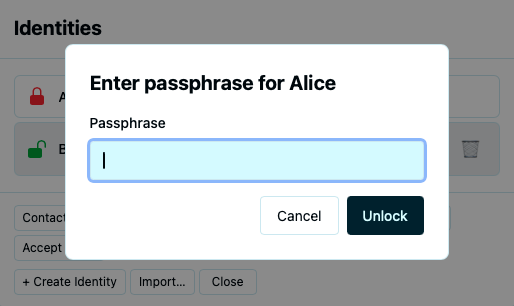
Once unlocked, the identity stays active for the session. All workspaces bound to that identity become available. You can lock an identity manually from the Identity Manager.
Managing Identities
Select an identity in the Identity Manager to see its actions:
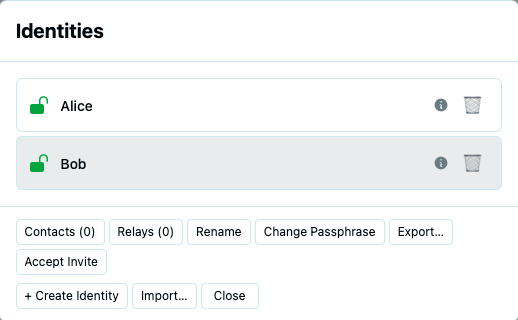
- Rename — change the display name
- Change Passphrase — set a new passphrase (requires the current one)
- Export Identity — save the identity as a
.swarmidfile for backup or transfer to another device - Public key & fingerprint — displayed for verification with peers
Exporting an identity
Click Export Identity to save a .swarmid file. This file contains your full keypair, encrypted with your passphrase.
Use this to back up your identity or restore it on another machine. You’ll need the passphrase to import it.
Contact Book
The contact book stores information about peers you interact with. Each identity has its own encrypted contact book.
Open the contact book from the Identity Manager or from File → Manage Identities → Contacts.
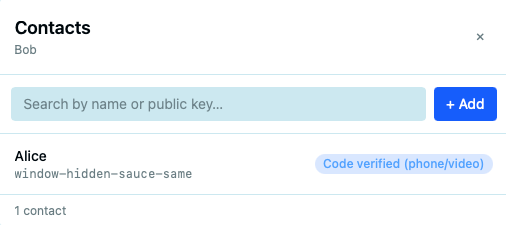
Adding a contact
Click + Add Contact to add someone.
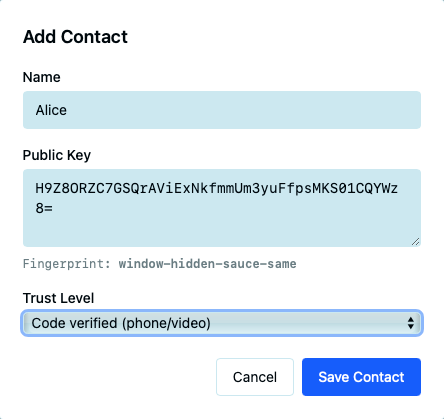
You can add a contact by:
- Pasting their public key — if they’ve shared it with you
- Importing from a
.swarmidfile — if they’ve sent you their identity export
Editing a contact
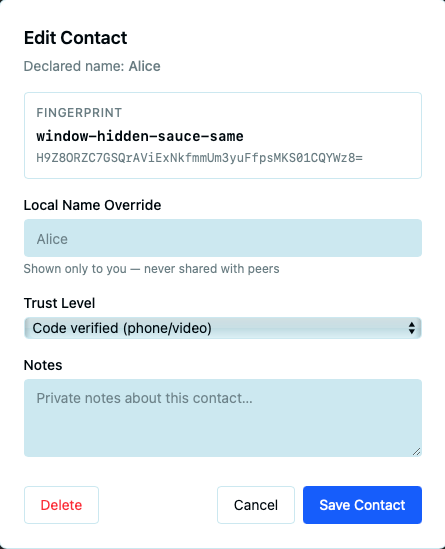
- Local name — your own label for this person (not visible to them)
- Notes — private annotations about the contact
- Trust level — how you’ve verified this person’s identity
Trust Levels
| Level | Meaning |
|---|---|
| TOFU | Trust On First Use — the default when you first encounter a peer |
| CodeVerified | You’ve compared fingerprints or public keys digitally |
| Vouched | A mutually trusted third party vouches for this person |
| VerifiedInPerson | You’ve verified the fingerprint face-to-face — the highest level of trust |
Trust levels are local to your contact book — they help you make decisions about sharing and permissions but are not communicated to peers.