Import & Export
Backing up, restoring, and transferring workspaces.
Exporting a Workspace
Go to File → Export Workspace to save a portable copy of the current workspace as a .krillnotes archive.
Encryption
You’ll be prompted whether to protect the export with a password.
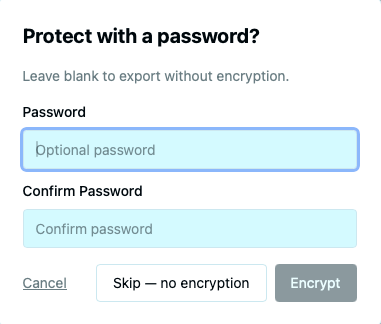
- Skip — no encryption — saves the export without a password. Anyone with the file can open it.
- Encrypt — protects the archive with a password. You’ll need the same password to import it later.
What’s included
The export contains everything in the workspace:
- All notes and their field data
- All file attachments
- All user scripts
- Workspace metadata (author, description, licence, etc.)
Importing a Workspace
Go to File → Import Workspace to restore a workspace from a .krillnotes archive.
Import preview
Before importing, Krillnotes shows some information about the archive.
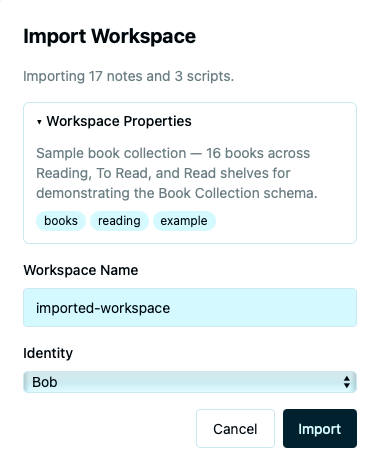
The preview shows:
- Note count — how many notes the archive contains
- Script count — how many scripts are included
Identity selection
Choose which identity to bind the imported workspace to.
The workspace will be owned by the selected identity.
If the archive is password-protected, you’ll be prompted to enter the password before the preview is shown.
Workspace Properties
Workspace properties are metadata embedded in exports, making them useful for sharing and discovery. Open Workspace → Workspace Properties to edit them.
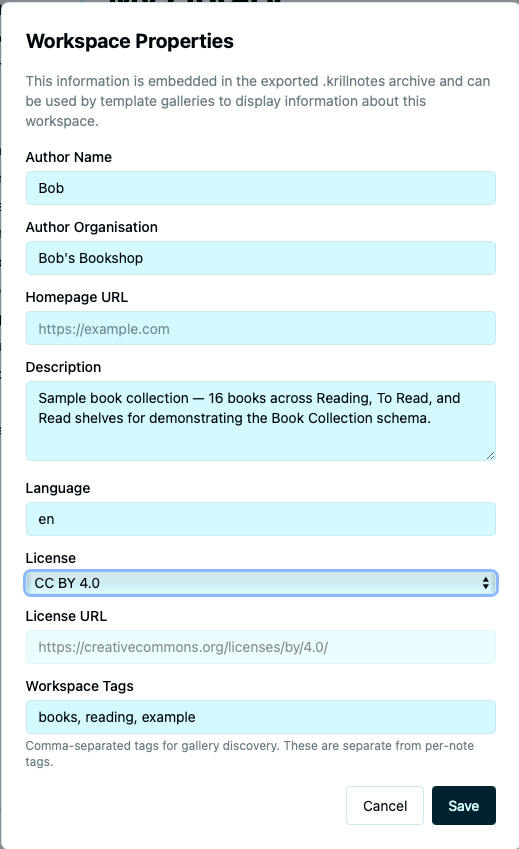
| Property | Description |
|---|---|
| Author Name | Your name or alias |
| Author Organisation | Organisation or team name |
| Homepage URL | A link to the project or workspace’s homepage |
| Description | A brief description of the workspace’s purpose |
| Language | The primary language of the content |
| Licence | The licence under which the workspace is shared (predefined list or custom) |
| Licence URL | Link to the full licence text |
| Tags | Taxonomy tags for discovery (separate from per-note tags) |
These properties are included in every export and are visible when someone previews an archive before importing.
Export File Format
The .krillnotes file is a standard zip archive. You can open it with any zip tool to inspect the contents directly.
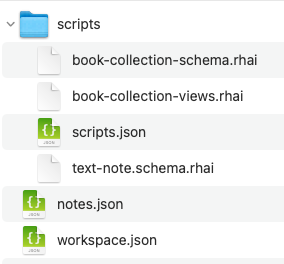
Inside the archive:
notes.json— all notes in the workspaceworkspace.json— workspace metadatascripts/scripts.json— script metadata (name, category, load order)scripts/*.rhai— each script’s source as a plain text fileattachments/— encrypted file attachments (if any)