Search
Finding notes quickly with live search and tag filtering.
Live Search
The search bar sits at the top of the tree panel. Start typing to search across note titles and text field content.
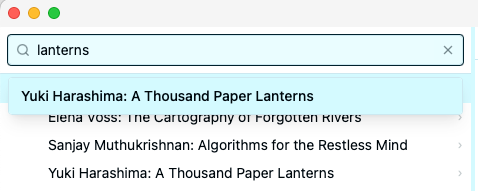
Results appear as a dropdown as you type (debounced for performance). Each result shows:
- Note title — the matching note’s name
- Context snippet — a short excerpt showing where the match was found
Click a result (or use the arrow keys and press Enter) to navigate to that note. The tree will auto-expand any collapsed ancestors so the selected note is visible.
Tag Search
Prefix your search with tag: to search specifically for notes with a given tag.
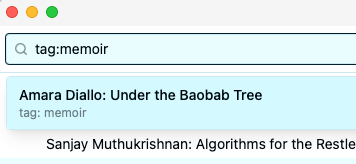
This is equivalent to clicking a tag in the tag cloud, but lets you type it directly.
Navigating Results
When you select a search result, Krillnotes:
- Expands any collapsed parent notes so the result is visible in the tree
- Scrolls the tree to the selected note
- Shows the note in the detail panel
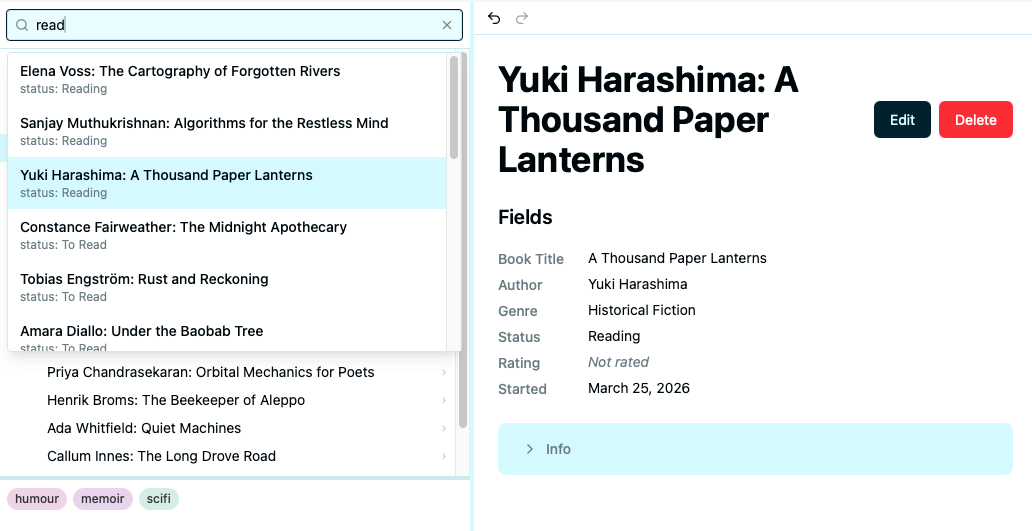
Press Escape to clear the search and return to normal tree browsing.
Keyboard shortcuts
| Key | Action |
|---|---|
↑ / ↓ | Navigate search results |
Enter | Go to selected result |
Escape | Clear search |