Book Collection
Track your reading list, current books, and past reads with star ratings.
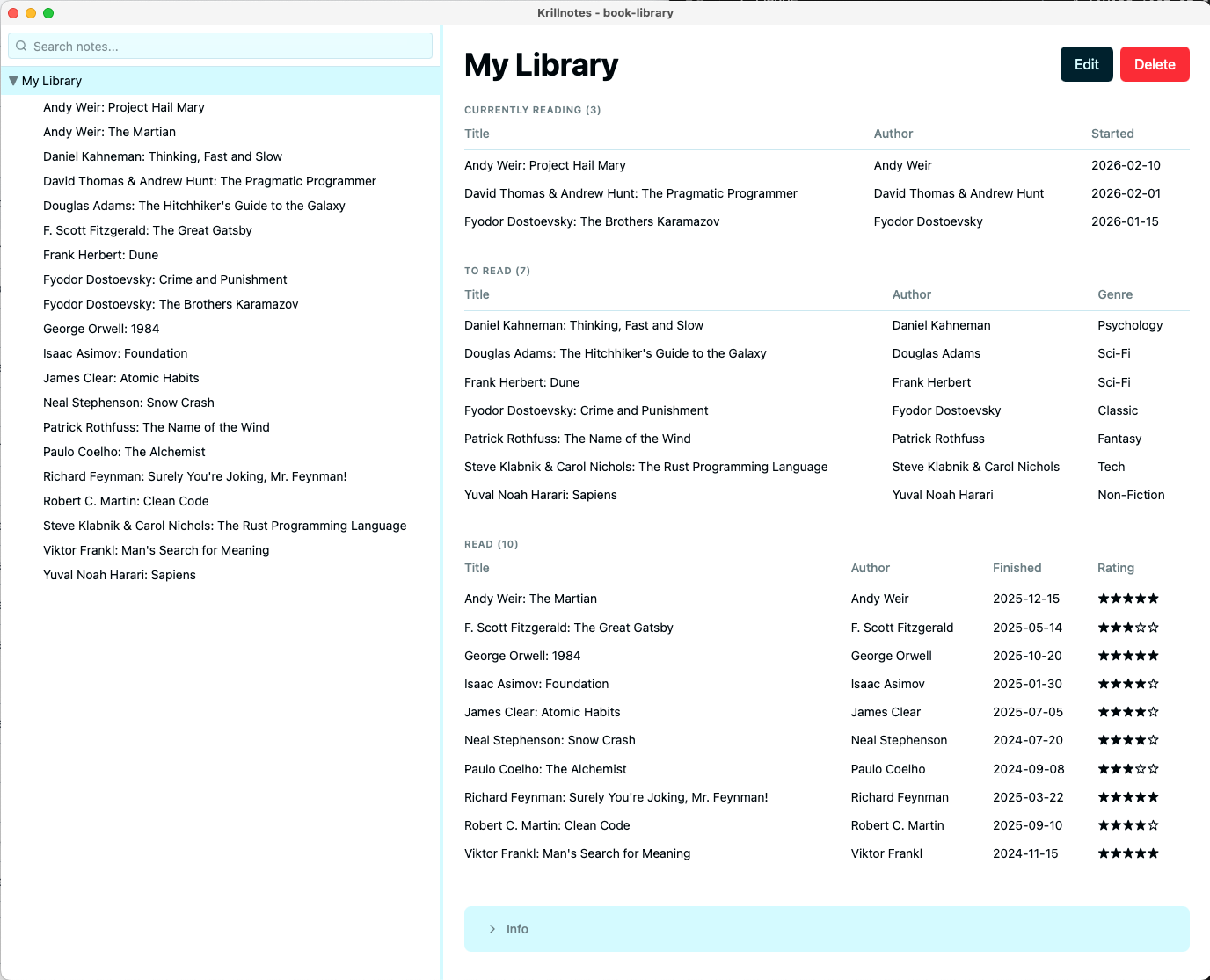
A personal library template. Create a Library note as the root, then add Book notes as children. The Library view groups your books by reading status and lets you sort them in several ways from the right-click menu.
Downloads
- book_collection.rhai — import into Script Manager
- book_collection.krillnotes — sample workspace
How to use
- Import
book_collection.rhaiin Settings → Scripts → Import Script - Create a new note and choose Library as the type
- Add children and choose Book as the type for each
- Fill in the book details — title, author, genre, and reading status
- Click the Library note to see your books grouped by status
- Right-click the Library note to sort by title, author, genre, rating, or date read
How it works
Book schema — on_save hook
The Book schema derives two fields automatically when you save:
- Title is computed as
"Author: Book Title"so books sort correctly by author when using the tree sort actions. - Read duration is derived from the
startedandfinisheddates as"N days".
Library schema — on_view hook
The Library view calls get_children to fetch all Book notes, then partitions them
by status and builds a section for each group using the section, table, and
stack display helpers:
- Currently Reading — title, author, started date
- To Read — title, author, genre
- Read — title, author, finished date, star rating
Empty sections are omitted. Books without a status appear in an Unsorted section.
Sort tree actions
Five add_tree_action entries add sort options to the Library right-click menu.
ISO date strings sort correctly as plain strings, so “Sort by Date Read” works
without any date parsing — books without a finished date sink to the bottom.